Emmanuel Konan
Unix/Linux on Windows: Choosing the Right Environment
Windows is often the standard desktop OS in companies, while much of modern software development still assumes Linux somewhere: a Linux server, a CI pipeline, containers, an embedded target, or simply scripts expecting Bash, GCC, Make and POSIX APIs.
But “Linux on Windows” can mean very different things. You may need to:
- run a few Unix command-line tools;
- run an actual Linux application;
- develop on Windows and deploy on Linux;
- build native Windows programs with GNU tools;
- port Unix/POSIX software to Windows;
- reproduce or isolate a complete Linux environment.
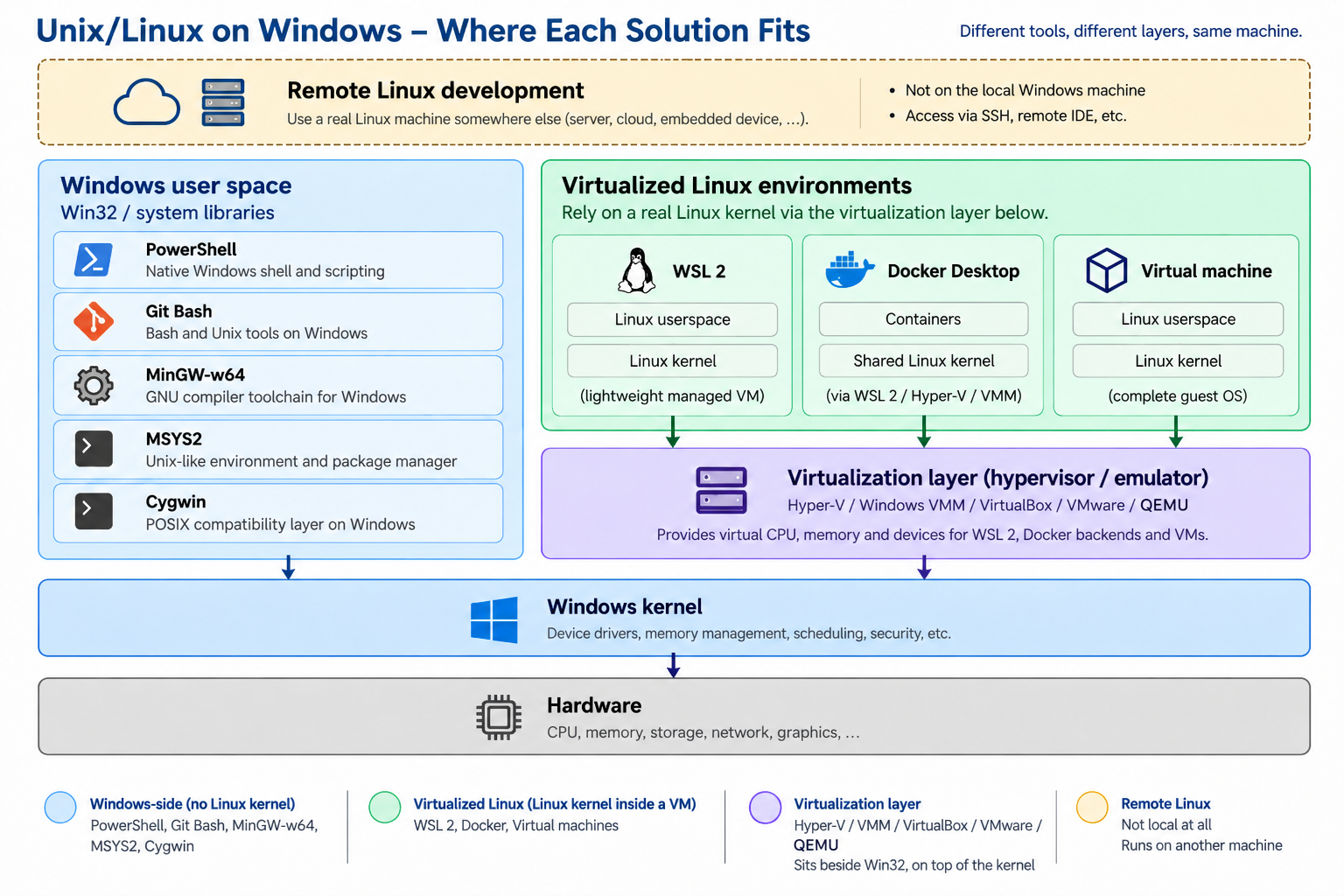
Many solutions look alike because they all give you a Bash prompt, yet underneath you may be running real Linux binaries, native Windows binaries built with GCC, a POSIX compatibility layer, or a full virtual machine. The useful question is: where does the software ultimately need to run, and which part of Linux do you actually need?
The series
The full introduction is on my GitBook, followed by one article per option:
- PowerShell: stay fully native; maybe Linux is not needed at all.
- Git Bash: a lightweight Unix-like shell and common tools.
- MinGW-w64: GNU compilers producing native Windows binaries.
- MSYS2: a richer Unix-like development environment.
- Cygwin: a POSIX compatibility layer for Unix-oriented applications.
- WSL: a real Linux environment integrated with Windows.
- Docker and containers: isolated, reproducible Linux environments.
- Virtual machines: a complete, independent Linux system.
- QEMU: virtualization and hardware emulation, including other CPU architectures.
- Remote Linux development: use a real Linux machine elsewhere.